← All apps Catalogue management
Vanilla Bulk Product Editor
Big catalogue. Small to-do list. Update product prices, content and stock in bulk. Preview your changes, undo edits and automate the jobs you repeat.
Free plan available
Take a closer look ↗ Inside Bulk Product Editor
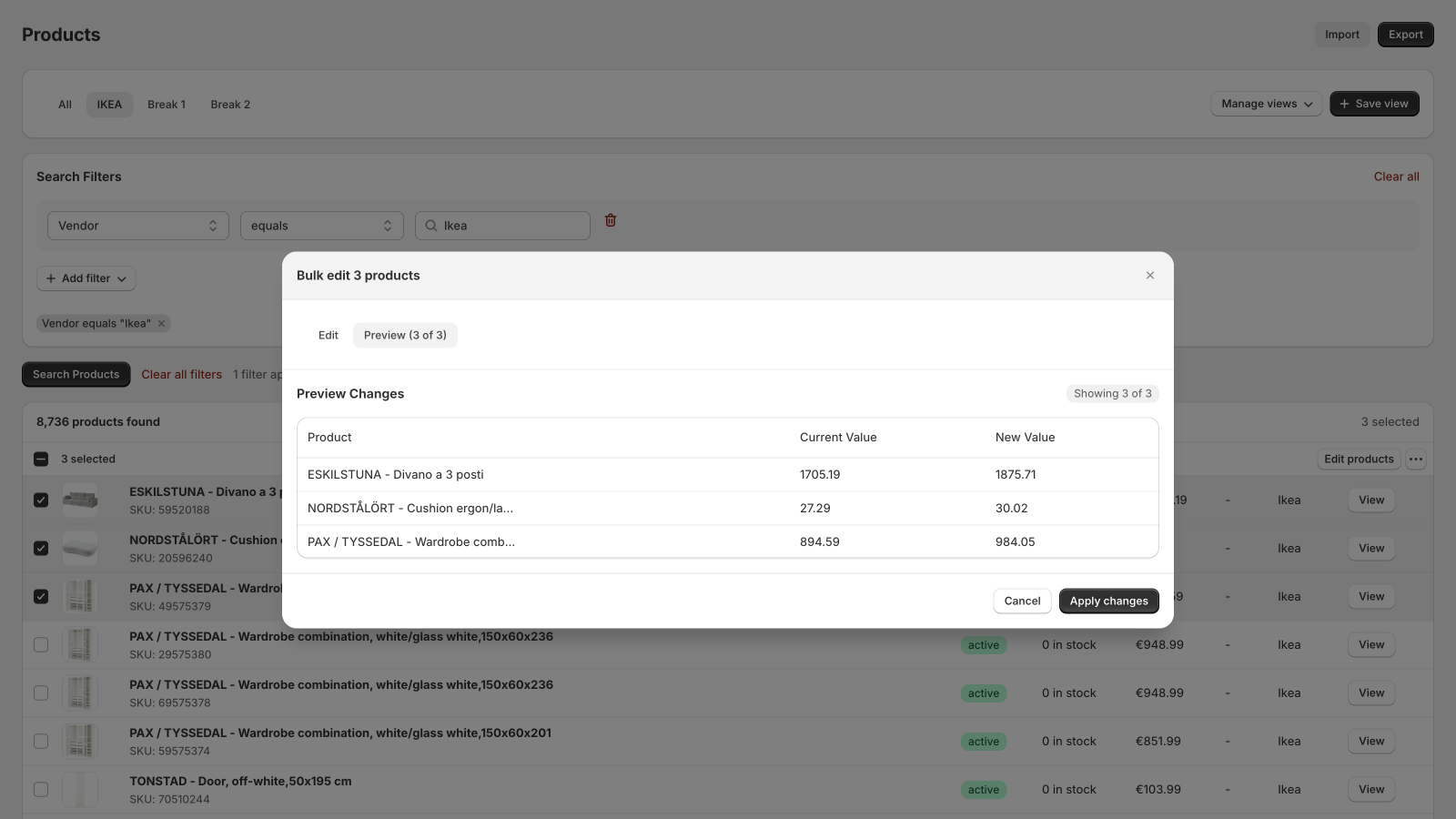
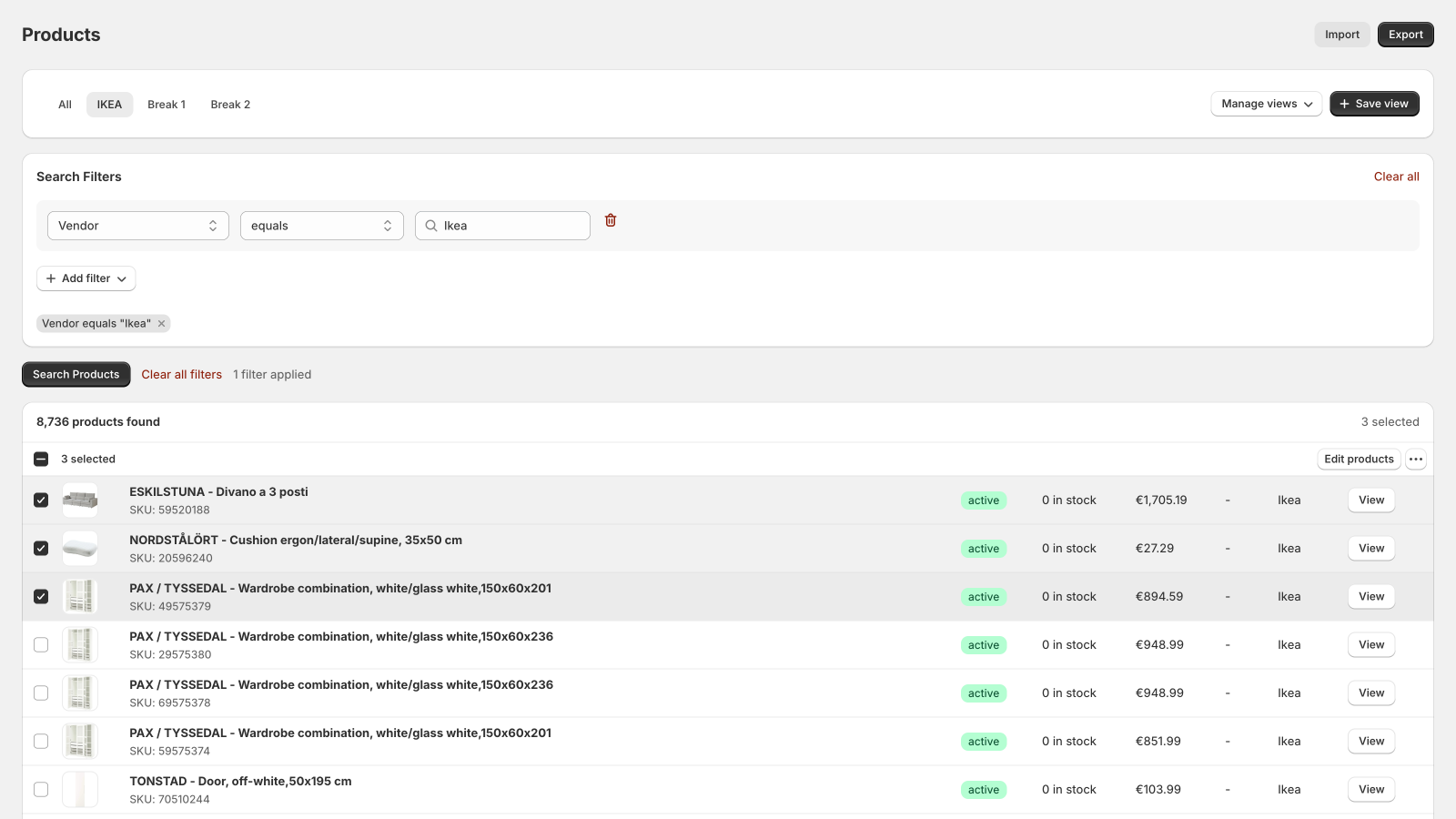
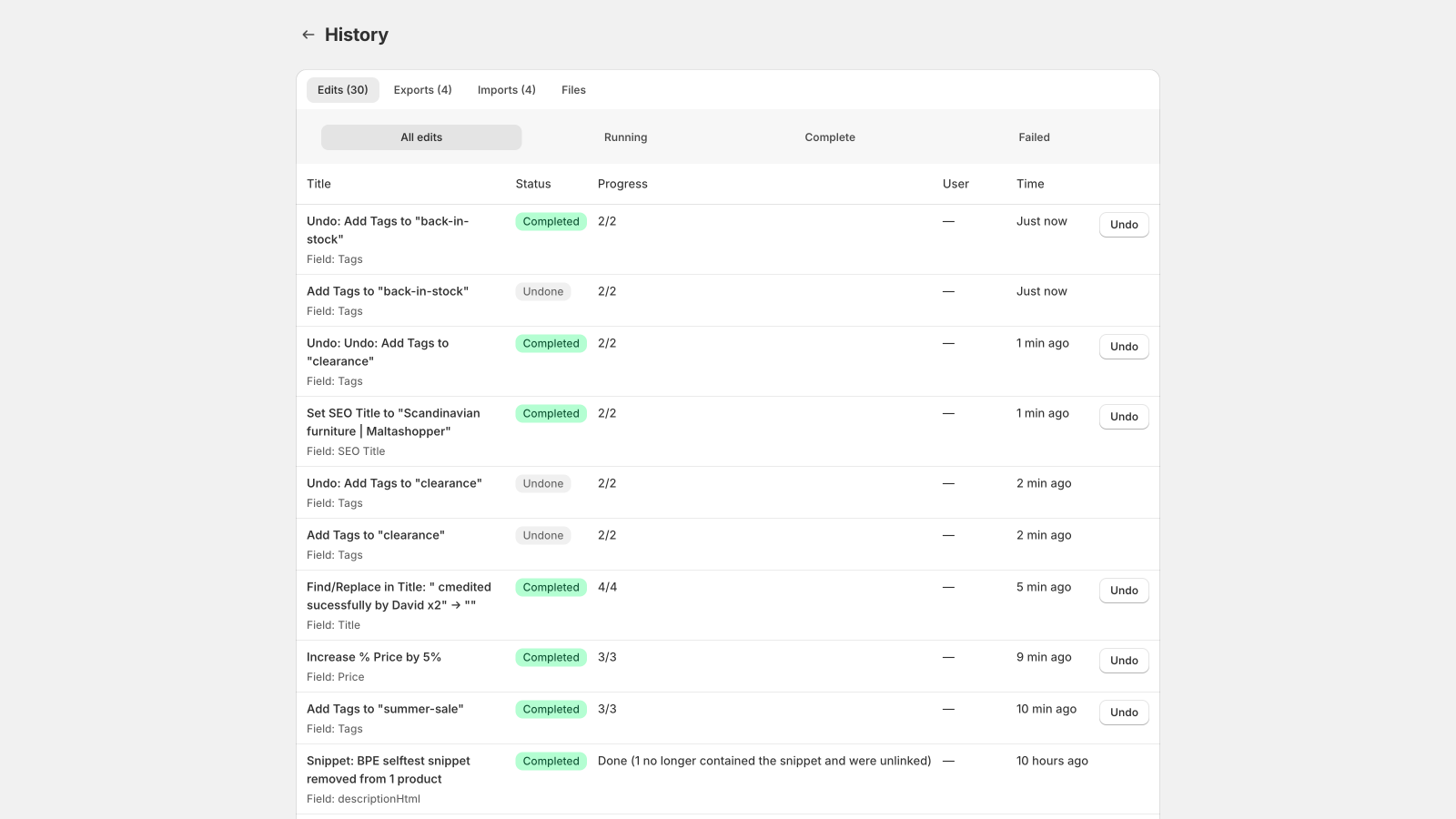
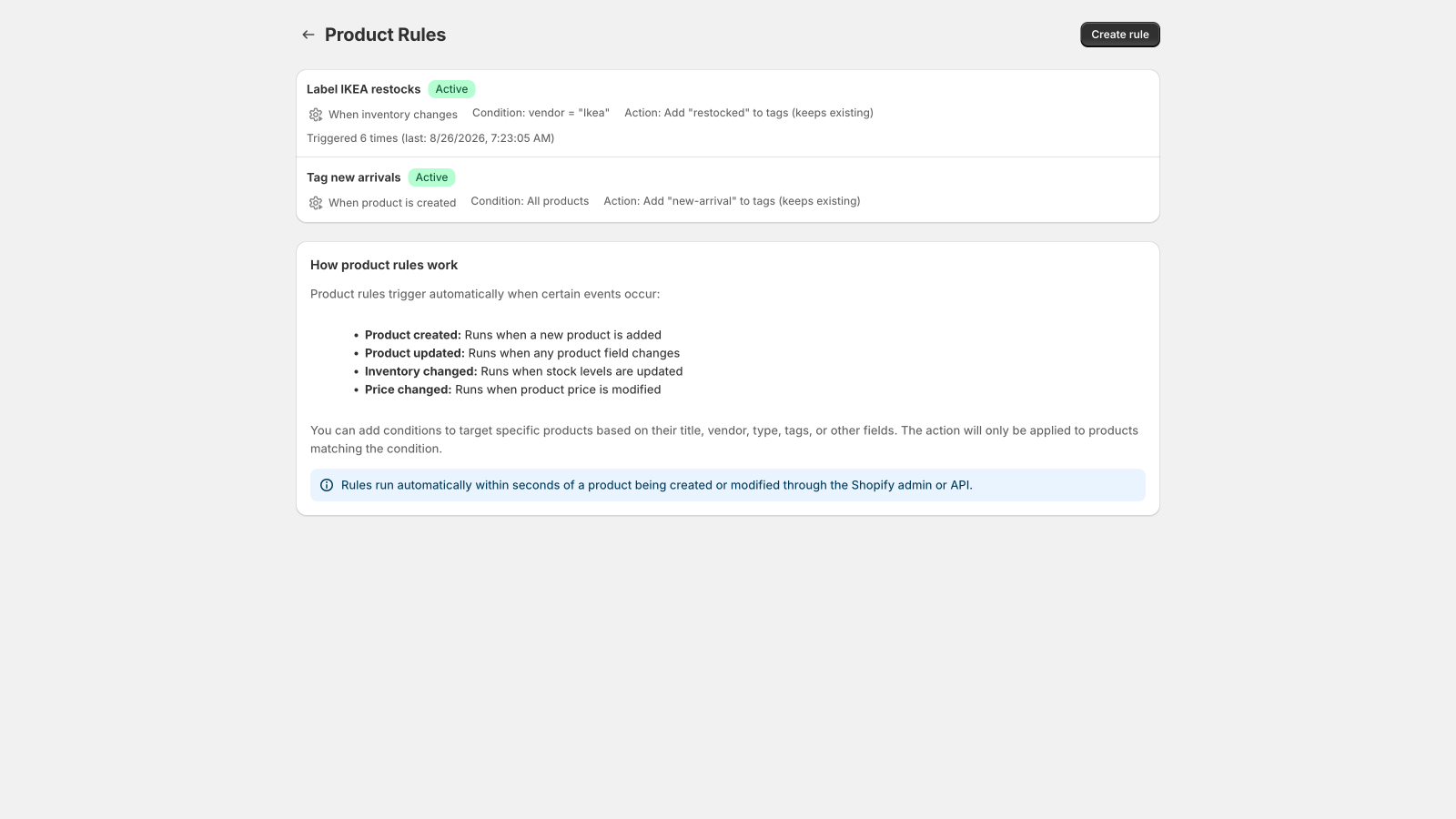
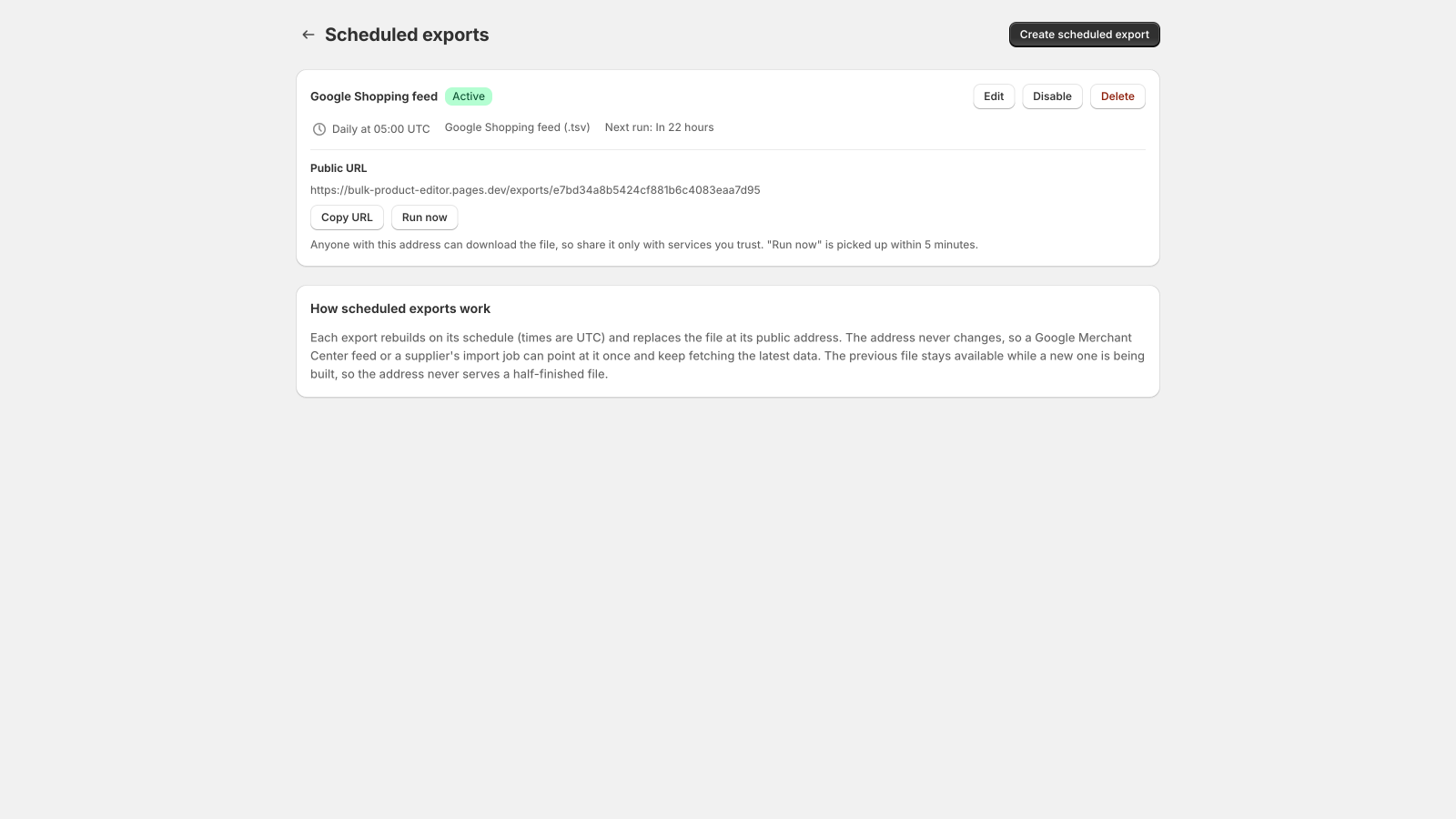
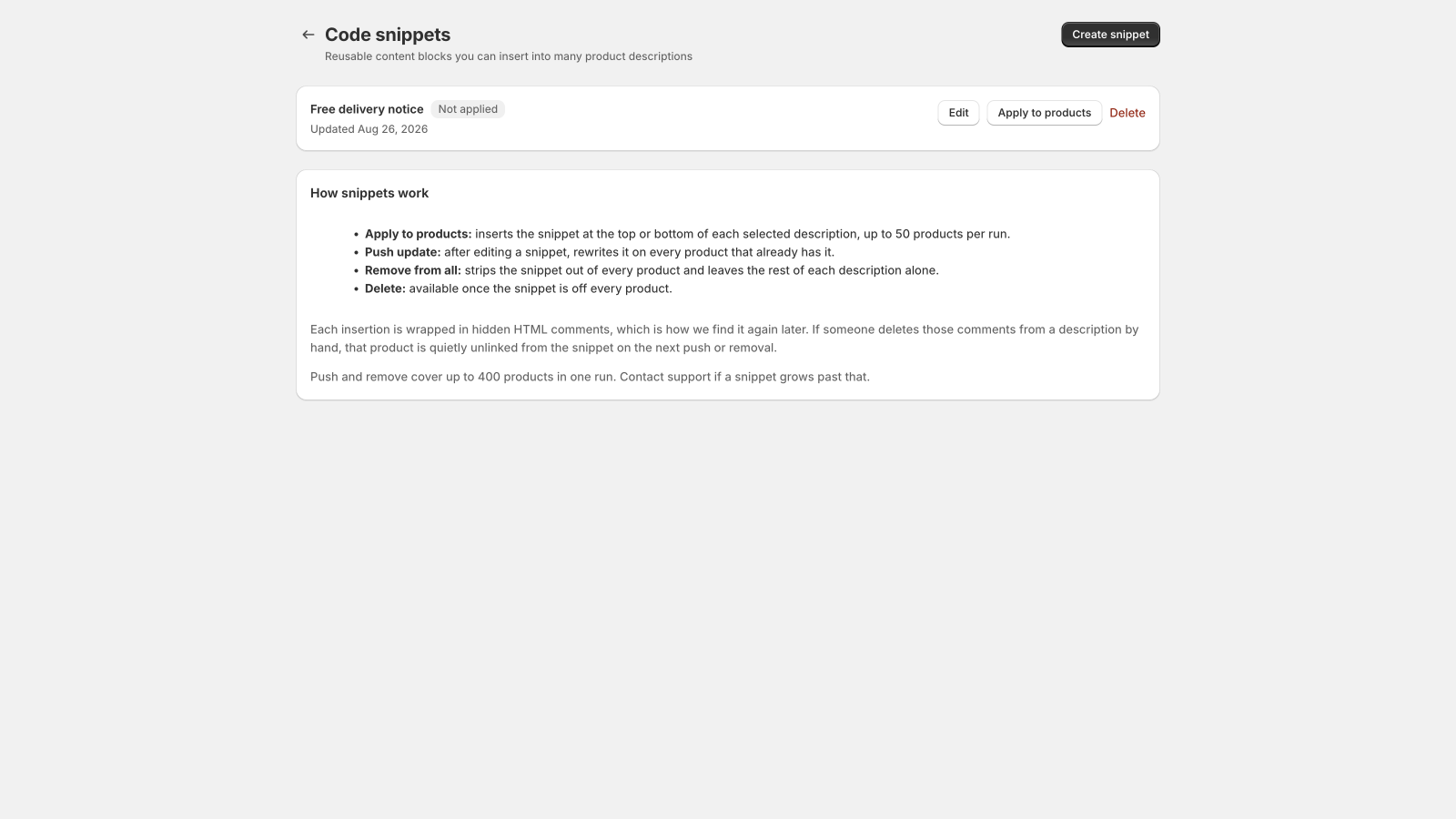
The details that 01 Edit your catalogue Filter by text, status, stock and custom fields, and save views for regular tasks. Edit product and variant fields, including prices, compare-at prices, titles, descriptions, tags, status, vendor, product type, theme template, URL handle, Shopify category, SKU, barcode and SEO. Adjust prices by an amount, a percentage or a margin above cost. Manage product creation and bulk deletion. 02 Stock, shipping and tax Set stock at a chosen location, quantity tracking and out-of-stock selling rules. Edit cost per item, taxable status, tax codes and physical-product settings. Update weight and units, country or province of origin, HS codes and country-specific customs codes. Set unit-price measurements, bundle-component requirements and subscription-only selling for products with an existing selling plan. 03 Collections, channels and options Add products to or remove them from manual collections. Publish or unpublish on an accessible sales channel. Rename option names and values, or change option order while preserving variants. 04 Images and custom fields Add images, videos, external videos and 3D models using public HTTPS URLs. Edit media alt text, reorder media, remove media or assign an existing product image to variants. Set or clear product and variant custom fields using existing Shopify field definitions. Media additions, reordering and deletion are not reversible through the app’s undo tool. 05 Review before you apply Preview old and new values before running an edit. Follow progress in your edit history. Restore previous values with one-click undo for supported edits, within your plan’s history window. 06 Put repeat jobs on a schedule Run recurring edits at scheduled times. Use product rules triggered by product changes. Keep track of automation runs and their results. 07 Move data in and out Import product changes from CSV with column mapping. Export catalogue data to CSV or Google Shopping feeds, with progress tracking. Publish scheduled exports through feed URLs. Sync inventory from an external feed on paid plans. 08 Reuse your best content Save reusable content snippets. Keep common descriptions and text consistent across products. Choose capacity for feeds, snippets and simultaneous jobs to suit your store. See it in action
Real app. Real screens. Select a screenshot to enlarge it.
Find your fit
Simple, clear pricing. Free FreeNo monthly charge
25 products per edit 1 recurring edit + 1 product rule 1 scheduled export + 1 snippet 30-day history; 1 job at a time Unlimited CSV exports and product creation Get Bulk Product Editor ↗ Basic $19USD / month
Unlimited products per edit 3 recurring edits + 3 rules 3 scheduled exports + 3 snippets 1 inventory sync 60-day history; 3 simultaneous jobs Get Bulk Product Editor ↗ Advanced $39USD / month
Unlimited products per edit 10 recurring edits + 10 rules 10 scheduled exports + 10 snippets 6 inventory syncs 90-day history; 5 simultaneous jobs Get Bulk Product Editor ↗ Professional $79USD / month
Unlimited products per edit 30 recurring edits + 30 rules 30 scheduled exports + 30 snippets 12 inventory syncs 180-day history; 20 simultaneous jobs Get Bulk Product Editor ↗ Paid plans are billed in USD every 30 days through Shopify. Review the charge shown by Shopify before approving a plan.
Your first steps
Get up and running. 01 Install through the Shopify App Store and choose a plan.
02 Filter a small set of products and choose the fields to change.
03 Review the preview, apply the edit and check the result in history.
Can I try it on a small catalogue first?+ Yes. The Free plan lets you edit up to 25 products at a time and try a recurring edit, a rule, a scheduled export and a snippet.
Can I undo every action?+ Supported edits keep previous values for the history period in your plan. Product deletion, media additions, media reordering and media deletion cannot be reversed through this tool. Review destructive actions carefully and keep an export when needed.
How do I get support?+ Email helpdesk@vanilla.net.mt with your app name, store’s .myshopify.com address, the steps you took and a screenshot with private details removed. Never send passwords or access tokens.
People behind the product
Need a hand? From choosing an app to getting it set up,
Get app support ↗